Free light leaks: 12 overlays for video
Warm light leaks, burns and flashes to lay over your cuts. 1080p MP4, free for any use.
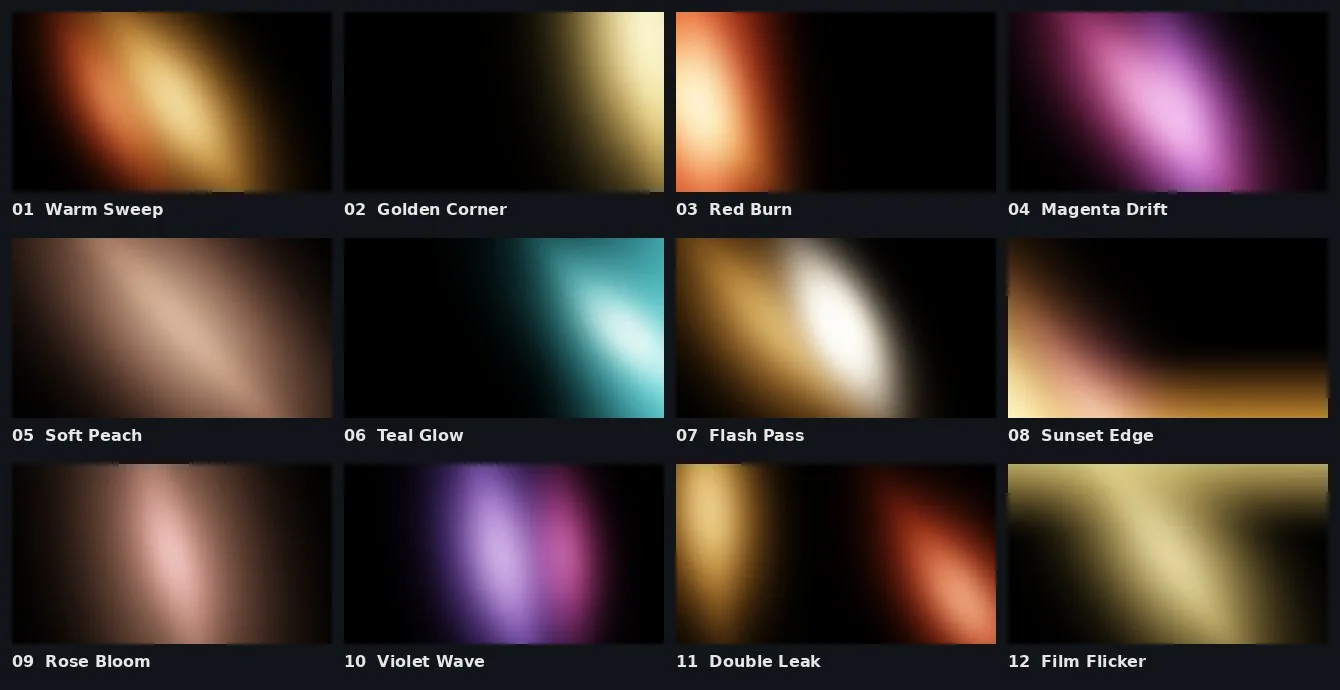
What's in the pack
Twelve light leak overlays, each 4 seconds long, 1920 × 1080 at 30 fps, as MP4 files that every editor opens. The light moves, blooms and fades in and out on its own, so you can drop one on a cut and you're done.
How to use a light leak
- Put the light leak on the track above your video, over a cut between two clips or wherever you want the glow.
- Set its blend mode to Screen. The black disappears and only the light is left.
- Lower the opacity if it's too strong, or speed it up for a quicker flash.
- Clipabay, free in your browser: drop the leak on the track above your clip in the video editor, then under Position and size set Blend to Screen.
- Premiere Pro: Effect Controls › Opacity › Blend Mode › Screen.
- DaVinci Resolve: Inspector › Composite Mode › Screen.
- Final Cut Pro: Video inspector › Compositing › Blend Mode › Screen.
- CapCut: add it as an Overlay, then Blend › Screen.
Tip: warm leaks such as Warm Sweep and Golden Corner suit holiday and wedding videos; Flash Pass makes a quick, bright transition for music videos and edits.
Can I use them commercially?
Yes. Everything in this pack is released under CC0, which means public domain. Use it in YouTube videos, client work, games, apps, released music and anything you sell. You don't have to credit us, though a link back is always appreciated. We made every file ourselves, so there is nothing to clear.
More free downloads: LUTs, sound effects, drum kit and ringtones.
Questions
How do I remove the black background of a light leak?
You don’t need to. Set the light leak’s blend mode to Screen (or Add or Lighten) and the black becomes see-through.
Can I use these light leaks in YouTube videos?
Yes, including monetised videos and client work. They are CC0 (public domain), so no credit is needed.
What resolution are they?
1920 × 1080 at 30 frames per second. They scale up cleanly to 4K because they are soft light.